


How It Works
The Smith Shop is an in-game item shop that allows players to customize and purchase items according to their needs.
How to Open Smith Shop:
You can open the Smith Shop by pressing the X key on your keyboard.
Important Shopping Features:
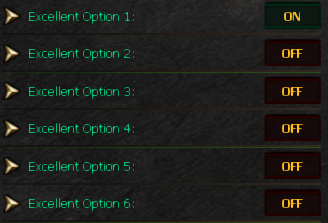
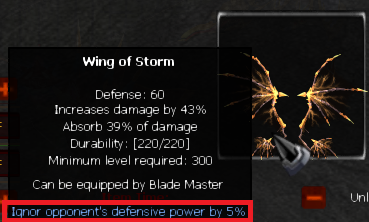
Wings When purchasing Wings, there is a special way to preview options: On the left side, you will only see options listed as: “Excellent Option 1 / 2 / 3 / etc.” To check what each option actually does: Select the desired Excellent option. Move your mouse over the wing image on the right side. You will see the exact option that has been applied. 👉 This helps you choose the correct Excellent options before buying. |
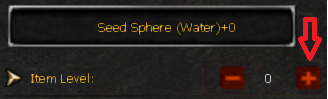
Sockets Changing the Item Level (+) here will change the Socket options. This allows you to roll and select different socket bonuses. ⚠️ Important: You MUST set Item Time → Unlimited (on the right side).
Otherwise, the socket item will not work properly. |
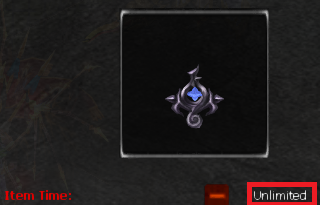
Talismans ⚠️ Important: You MUST set Item Time → Unlimited. If not set, the talisman will not function.
|
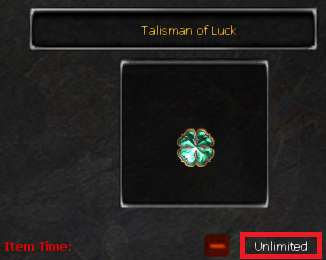
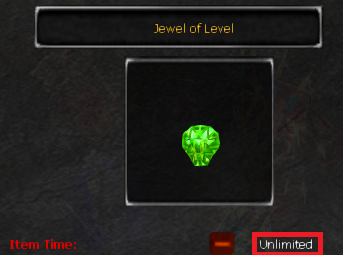
Custom Jewels ⚠️ Important: You MUST set Item Time → Unlimited. Otherwise, the custom jewel cannot be used.
|
Final Tips:
Always double-check your Item settings before purchasing.
Preview options/time carefully, especially for Wings, Sockets, Talismans and Custom Jewels.